


Excel is one of the most widely used data management tools in businesses. From raw material lists and supplier information to production logs and warehouse records, many operational activities are still tracked using Excel spreadsheets.
At the early stages, this approach is relatively simple, flexible, and cost-effective. However, as production scales up, the number of suppliers increases, and supply chains become more complex, relying on multiple separate Excel files can create more significant problems than expected.
Data becomes fragmented across departments, information is inconsistent, update histories are difficult to track, and product traceability takes more time. These issues not only affect work efficiency but also reduce a business’s ability to maintain control and make informed decisions.
So, what hidden costs do businesses incur when their data is scattered across Excel files? And when should they consider switching to an interconnected data management system?
1. Is Excel Really the Problem in Business Data Management?
The answer is no.
Excel remains a useful tool for planning, calculations, analysis, and data tracking. For small businesses or organizations with relatively simple operational processes, Excel can effectively meet many management needs.
Problems begin to arise when businesses use too many independent spreadsheets to manage data that is inherently interconnected.
For example, a manufacturing business may use:
- Excel files for managing incoming raw materials.
- Excel files for tracking supplier information.
- Excel files for recording production logs.
- Excel files for managing finished goods quantities.
- Excel files for tracking warehouse receipts and dispatches.
- Excel files for storing transportation and distribution information.
Each department may maintain its own spreadsheet system, with different naming conventions, data structures, and update frequencies.
When information about a product batch needs to be consolidated, employees must connect data from multiple sources to build a complete picture.
This is the fundamental limitation of a fragmented data management model: businesses may possess a large amount of data but still struggle to connect and make use of it effectively.
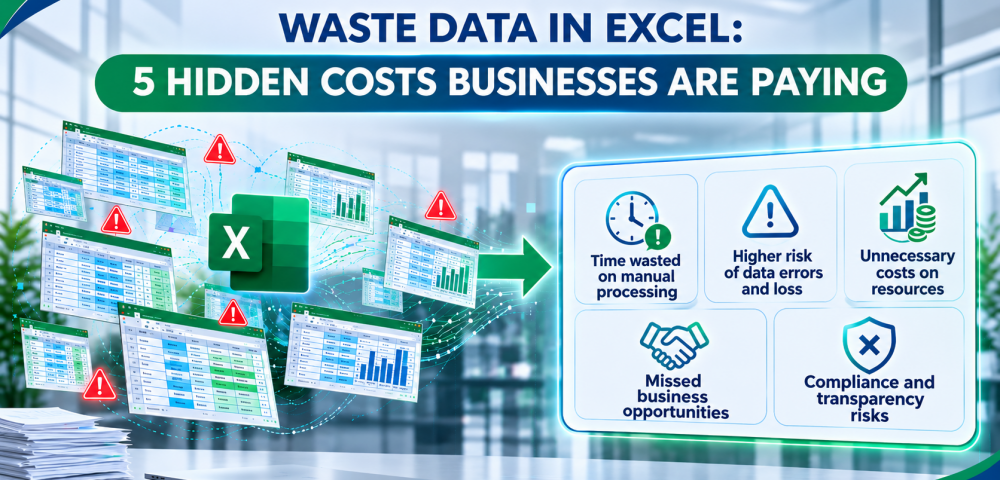
2. Five Hidden Costs of Managing Data Across Multiple Separate Excel Files
2.1. Time Lost to Data Consolidation and Reconciliation
When information is stored across multiple Excel files, searching for and consolidating data becomes a recurring task.
Suppose the quality management department needs to verify information about a shipment. Employees may have to:
- Find the file recording incoming raw materials.
- Check supplier information.
- Cross-reference production logs.
- Locate quality inspection data.
- Check warehouse receipt and dispatch records.
- Consolidate the findings into a complete report.
If data is stored in different folders, on different computers, or managed by separate departments, this process can take longer than expected.
Instead of spending time on analysis, quality control, and process improvement, employees must devote their resources to manual searching and cross-checking.
Over time, this becomes a form of operational cost that is difficult to recognize but can accumulate significantly.
2.2. Increased Risk of Inconsistent or Lost Information
One of the major limitations of managing data across multiple Excel files is the difficulty of maintaining consistency between information sources.
Common situations include:
- Employees update data in their personal files but forget to update the shared file.
- Two departments use different versions of the same spreadsheet.
- Information is overwritten or accidentally deleted during editing.
- Data is entered manually multiple times, leading to duplication or errors.
- It is impossible to determine who changed the information or when the change was made.
For example, the warehouse department records 500 units of raw materials, while the production department continues using outdated data showing 550 units.
This discrepancy can affect production planning, inventory control, and reconciliation between departments.
What is particularly concerning is that data inconsistencies do not always become apparent immediately. A small error may continue to be used in subsequent reports and processes before it is eventually detected.
Therefore, businesses need to focus not only on data storage but also on data accuracy, consistency, and the ability to track update histories.
2.3. Difficulties in Product Traceability When Incidents Occur
For businesses in manufacturing, food, agriculture, and other industries with strict quality control requirements, product traceability plays a particularly important role.
When customers, partners, or regulatory authorities request verification, businesses need to be able to answer questions such as:
- Which supplier provided the raw materials?
- Which batch did the raw materials belong to?
- When was the product manufactured?
- Which production stages did the product go through?
- How were quality inspection results recorded?
- Where was the finished product stored and transported?
- Which organizations or partners were involved in the product batch?
To answer these questions, businesses need to connect data from multiple stages across the supply chain.
However, if each stage is managed through an independent Excel file, the traceability process can become complicated.
Employees must search through individual data sources, identify relevant information, and manually cross-check records to reconstruct the product’s history.
This can slow down the verification process, make it more difficult to isolate affected batches, and complicate the handling of quality-related issues.
Product traceability is not simply about storing product information. It is the ability to connect and reconstruct a product’s journey through data recorded at different stages of the supply chain.
2.4. Difficulties in Scaling Operations and Integrating Management Systems
As a business grows, its data management needs also change.
The number of suppliers increases, more production lines are introduced, order volumes grow, and logistics operations become more complex.
At this point, continuing to expand the system by creating additional Excel files can make the overall data environment increasingly difficult to control.
In particular, businesses may need to connect their data with specialized systems such as:
- ERP (Enterprise Resource Planning): Manages business resources, including finance, procurement, production, and other operational activities.
- WMS (Warehouse Management System): Manages warehouse operations, including receiving, dispatching, and inventory.
- MES (Manufacturing Execution System): Manages and monitors production activities on the factory floor.
When data is not standardized and lacks connectivity, integration between systems can become more complicated.
Businesses must not only address existing data issues but also deal with the costs of data standardization, migration, and integration as operations expand.
This is one of the reasons why building a structured data platform has become an important part of a digital transformation strategy.
2.5. Limited Data Analysis and Decision-Making Capabilities
Data only creates real value when businesses can use it to understand their operations and make informed decisions.
However, when information is scattered across multiple Excel files, building an overall picture of production and supply chain operations becomes challenging.
Business leaders may face difficulties when they need to:
- Monitor raw material and finished goods status.
- Evaluate production performance.
- Control quality across different stages.
- Reconcile information between departments.
- Identify the causes of operational issues.
- Evaluate supply chain performance.
If data is not updated consistently and connected throughout the process, management reports may be delayed or fail to fully reflect actual operating conditions.
As a result, businesses may end up with numerous reports but still lack the information they need to make decisions.
3. When Should Businesses Move from Excel to a Centralized Data Management System?
Not every business needs to eliminate Excel and implement an entirely new data management system.
However, if a business frequently encounters the following situations, it may be time to reassess its current data management approach:
| Warning Signs | Potential Issues |
|---|---|
| Multiple departments use separate Excel files | Fragmented data |
| Manual data reconciliation is frequently required | Increased operational time and effort |
| The latest version of the data cannot be identified | Lack of information control |
| Product batch histories are difficult to verify | Limited traceability capabilities |
| The same information is repeatedly entered | Risk of duplication and inconsistencies |
| Integration with ERP, WMS, or MES is required | Growing system integration needs |
| Customers demand greater product information transparency | Greater need for data management and traceability |
The key consideration is not how many Excel files a business uses, but whether its current management approach can still meet operational requirements.
When data begins to affect workflow efficiency, quality control, and supply chain transparency, businesses should consider adopting a more systematic management approach.
4. The Solution Is Not to Eliminate Excel, but to Connect Data
An effective data management system does not necessarily need to replace every tool a business currently uses.
Instead, businesses need to build a platform capable of organizing, standardizing, and connecting data across operational activities.
A suitable data management and product traceability solution should focus on four key elements.
4.1. Digitizing Data Across the Entire Supply Chain
Rather than relying entirely on separate spreadsheets, businesses should gradually digitize the information recorded at each operational stage.
This data may include:
- Incoming raw material information.
- Supplier records.
- Production batch information.
- Production logs and parameters.
- Quality inspection results.
- Warehouse receipt and dispatch information.
- Transportation and distribution data.
Digitization helps businesses establish a more structured data foundation, supporting information management and traceability requirements when needed.
4.2. Connecting Data Across Operational Stages
Data related to raw materials, production, quality inspections, warehousing, logistics, and distribution should not exist as completely independent information sources.
Businesses should aim to link this information through appropriate identifiers, such as product codes, batch numbers, material codes, or other relevant identification details.
When data is connected, businesses can more easily track the relationships between incoming raw materials, production processes, and finished products.
This is an essential foundation for building end-to-end traceability across the supply chain.
4.3. Standardizing Data Recording and Management Processes
A data system can only deliver its full value when information is recorded according to consistent principles.
Businesses need to define:
- What information needs to be recorded at each operational stage?
- Which department is responsible for updating the data?
- How should products and batches be identified?
- What are the procedures for checking and verifying information?
- How can duplicate or missing data be minimized?
Standardization reduces reliance on the individual management practices of employees or departments while laying the groundwork for future system integration.
4.4. Supporting Product Traceability and Information Transparency
When data is recorded and connected across different stages, businesses have a stronger foundation for tracking product histories.
When a batch needs to be verified, relevant information can be retrieved using established identifiers and recorded data, rather than manually searching through multiple independent spreadsheets.
This helps businesses:
- Track incoming raw material information.
- Monitor production histories.
- Verify quality information.
- Track product movement through the supply chain.
- Provide greater transparency to partners and customers.
This also creates a foundation for businesses to gradually strengthen their management capabilities and meet increasingly demanding supply chain transparency requirements.
5. TraceVerified: A Digitization and Product Traceability Solution for Businesses
As data becomes increasingly important in manufacturing and supply chain management, businesses need a more systematic approach to recording, managing, and connecting information.
TraceVerified aims to support businesses in digitizing data and enabling product traceability by recording, managing, and connecting information throughout the supply chain.
Rather than focusing solely on storing isolated data, the solution aims to establish an interconnected information platform that supports operational management and control requirements.
With this approach, TraceVerified supports businesses in gradually achieving the following:
- Information Digitization: Transforming data recording activities into a more systematic management approach.
- Supply Chain Data Management: Supporting the organization and connection of information across related operational stages.
- Product Traceability: Supporting the retrieval of product information and histories based on recorded data.
- Greater Transparency: Establishing an information foundation for management, quality control, and information sharing with partners and customers.
For businesses currently managing data through multiple independent Excel files, the transition does not necessarily need to happen all at once.
A suitable roadmap may begin by identifying the most important data, standardizing recording processes, selecting the operational stages that need digitization, and gradually expanding the scope of management.
The ultimate goal is to ensure that data no longer exists as isolated spreadsheets, but becomes an information resource that can be connected and utilized throughout business operations.
Learn more about the solution at: https://www.traceverified.com/
6. Conclusion: The Biggest Costs Are Not in the Excel Files Themselves
Excel is not an outdated tool, nor is it the direct cause of every data management problem.
The real challenge lies in businesses continuing to rely on fragmented data management methods while the scale and complexity of their operations keep increasing.
Time spent consolidating information, the risk of data inconsistencies, difficulties in product traceability, and limitations in system integration can all become significant operational costs if left unmanaged.
For manufacturers and businesses involved in supply chains, building an interconnected data platform not only addresses current management needs but also lays the groundwork for future digital transformation.
Because the greatest costs are not necessarily found in the Excel files businesses use, but in the time, resources, and business opportunities lost when data cannot be connected.
TraceVerified supports businesses throughout their digitalization and product traceability journey, working toward a more transparent, structured, and efficient supply chain.
🌐 Website: https://www.traceverified.com/
FAQ – Frequently Asked Questions
1. Why Should Businesses Avoid Relying Entirely on Excel for Data Management?
Excel is suitable for simple data management activities. However, when a business has multiple departments, complex production processes, and large volumes of data, using multiple independent Excel files can lead to duplication, information inconsistencies, version control difficulties, and limited data connectivity.
2. How Does Fragmented Data Affect Manufacturing Operations?
Fragmented data forces businesses to spend more time consolidating and reconciling information across operational stages. This can affect their ability to control raw materials, monitor production progress, manage quality, and trace product origins.
3. What Types of Data Are Required for Product Traceability?
Depending on the industry and management requirements, product traceability data may include:
- Supplier and incoming raw material information.
- Product codes and production batch numbers.
- Production time and location.
- Logs of individual production stages.
- Quality inspection results.
- Warehousing, transportation, and distribution information.
These data points need to be recorded and appropriately linked to support the tracking of product histories.
4. What Are the Differences Between ERP, WMS, and MES?
ERP is an Enterprise Resource Planning system that supports the management of various business and operational activities. WMS focuses on warehouse management, while MES supports the management and monitoring of manufacturing activities on the factory floor.
These three systems can complement one another through data exchange and integration within a business.
5. Do Businesses Need to Eliminate Excel When Undergoing Digital Transformation?
Not necessarily. Excel can still be used for suitable calculations, reporting, and analysis tasks. What matters is identifying which data and processes need to be standardized, centrally managed, or connected to specialized systems.
6. How Does TraceVerified Support Businesses in Data Management and Product Traceability?
TraceVerified provides a solution-oriented approach to data digitization and product traceability, supporting businesses in recording, managing, and connecting data throughout the supply chain. This gives businesses a foundation for improving information management, quality control, and product origin transparency.